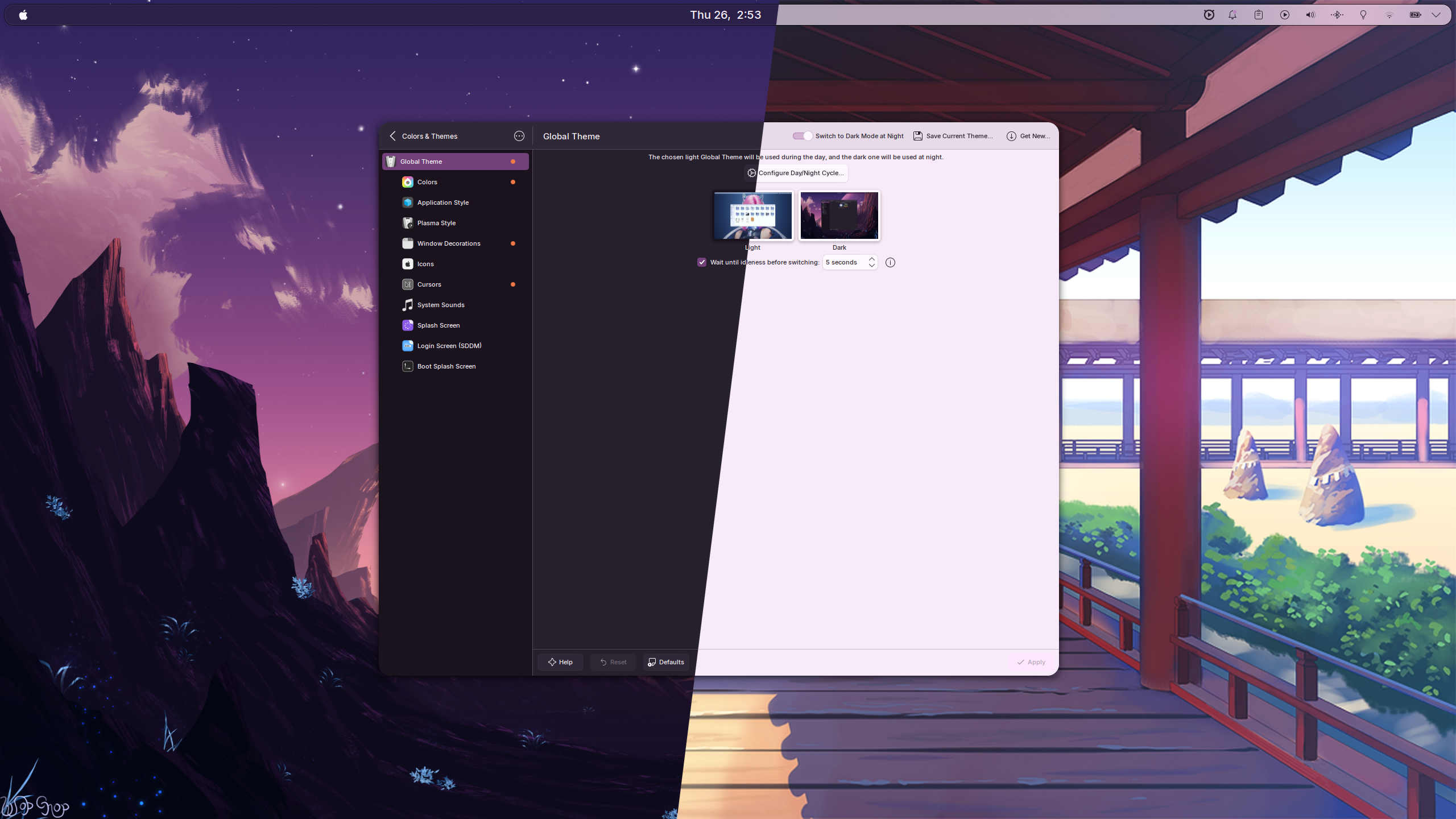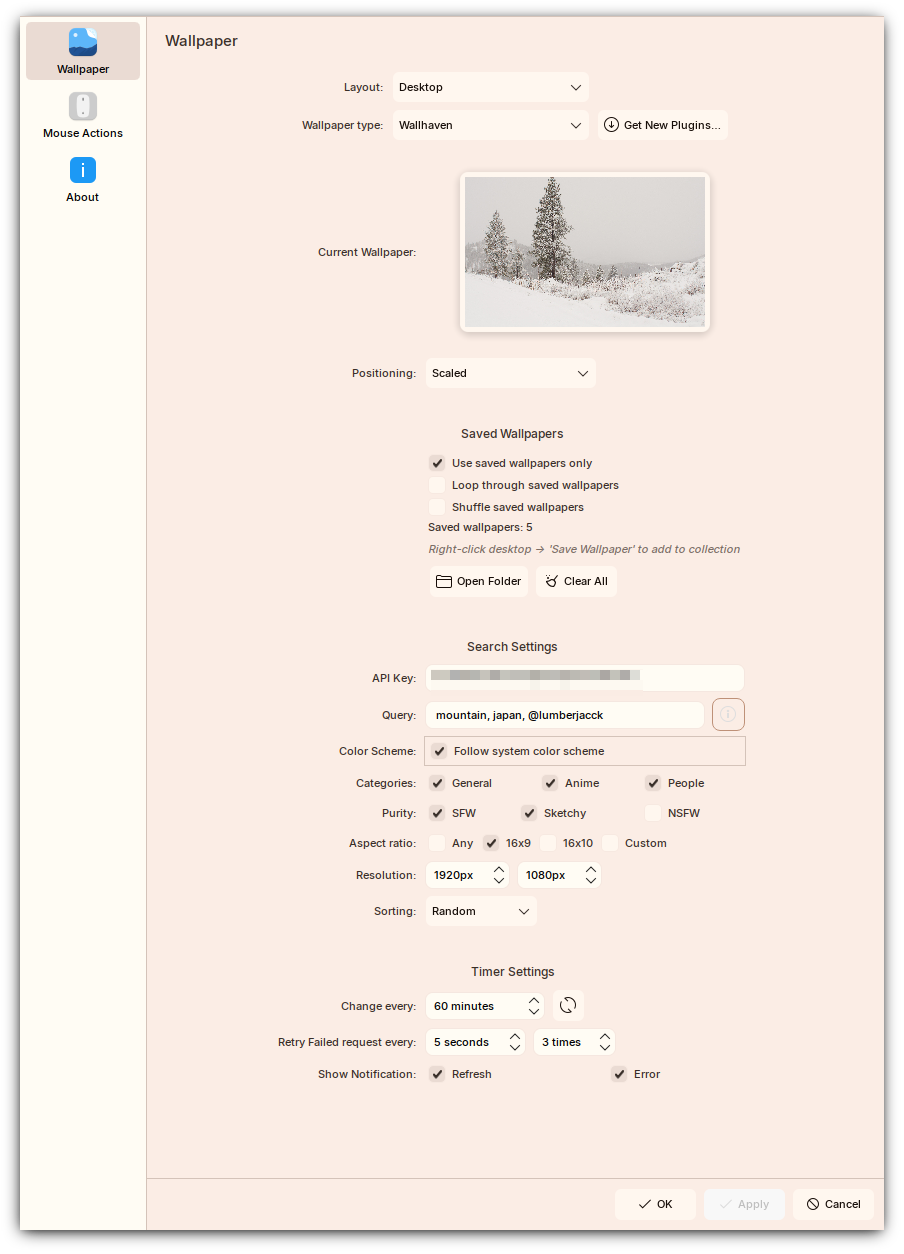
Wallhaven has one of the best wallpaper APIs available — clean, well-documented, and with a genuinely massive library. The original Plasma wallpaper plugin by subpop worked great on Plasma 5 but was never ported to Plasma 6. Wallhaven Wallpaper Reborn is my port and significant extension of that original plugin, adding enough new features that it has largely become its own thing.
What the Plugin Actually Solves
The original plugin already covered the basics of wallpaper rotation, filtering, and Wallhaven search. The Plasma 6 port was the starting point, not the end goal. What I actually wanted was a wallpaper plugin that behaves like a proper desktop component instead of a thin API wrapper.
That meant a few specific things:
- it needed to work on Plasma 6 cleanly
- it needed better search ergonomics
- it needed to support local saved wallpapers for offline use
- it needed context-menu actions for common tasks
- it needed to integrate better with the desktop’s light and dark behavior
Installation
Arch Linux (AUR):
yay -S plasma6-applets-wallhaven-reborn-gitKDE Store: Right-click Desktop → Configure Desktop and Wallpaper → Get New Plugins, search for “Wallhaven Wallpaper Reborn”.
From source:
git clone https://github.com/Blacksuan19/plasma-wallpaper-wallhaven-reborn.gitcd plasma-wallpaper-wallhaven-rebornkpackagetool6 --type Plasma/Wallpaper --install package/# restart plasmashell if neededplasmashell --replace & disownAlways configure via right-click on the desktop → Configure Desktop and Wallpaper. The System Settings wallpaper panel does not work correctly with this plugin — this is a KDE bug, not a plugin issue.
If the wallpaper does not fetch immediately after installation, the intended recovery flow is:
- Set the plugin via right-click desktop → Configure Desktop and Wallpaper.
- Close the settings window.
- Open it again so a fresh wallpaper fetch is triggered.
- If that still fails, refresh from the context menu or restart Plasma Shell.
What’s New Over the Original
The original plugin handled basic rotation and filtering. The reborn version adds:
Multi-Tag Queries
Instead of a single search term, you can supply a comma-separated list of queries. The plugin picks one randomly on each rotation:
nature,landscape,@username,like:abc123zEach entry is its own valid Wallhaven query. Tags must be real Wallhaven tag
names — not arbitrary strings. You can also search by exact tag ID (id:1) or
by similar wallpapers (like:wallpaperid).
This matters more than it sounds. A wallpaper plugin gets used constantly but is configured rarely, so the search input has to carry a lot of expressive power. Being able to supply multiple tags or query forms and let the plugin randomly pick one on each rotation makes the wallpaper behavior feel dynamic without having to revisit settings all the time.
Offline Saved Wallpapers Collection
Build a local collection by right-clicking the desktop and choosing Save Wallpaper. Once you have a collection:
- Saved-only mode — cycles through your local wallpapers with no internet required
- Loop or fetch — when the collection is exhausted, either loop back or pull new wallpapers from Wallhaven automatically
- Shuffle or sequential — random order or in the order they were saved
- Manage — open the folder, remove single entries, or clear the entire collection (files included) from the settings UI
This part changes the plugin from a pure online wallpaper fetcher into something you can actually keep using on laptops, unstable networks, or when you simply want to curate a personal set instead of relying on the live API all the time.
System Color Scheme Following
Enable this option and the plugin will automatically bias towards darker wallpapers when your system is in dark mode, and lighter ones in light mode. Pairs well with a dynamic color scheme setup.
For Plasma setups that already use wallpaper-derived accent colors, this makes a surprisingly large difference. The desktop feels more coherent because wallpaper selection and system theme direction are no longer independent.
Quality of Life
- Custom aspect ratios — filter to your monitor’s ratio or supply multiple
- Custom resolutions — minimum resolution filter
- Context menu actions — open current wallpaper in browser or fetch a new one without opening settings
- Notifications — toast when a new wallpaper is fetched or when an error occurs (toggleable)
- Auto-refresh after settings change — no need to close and reopen
- Network error retry — automatically retries on transient failures
There are also right-click actions for opening the current wallpaper in the browser and fetching the next wallpaper immediately, which removes a lot of the friction from the normal desktop workflow.
How to Search
The query field maps directly to the Wallhaven API search syntax:
| Query type | Example |
|---|---|
| Tag keyword | nature, landscape, anime |
| Exact tag ID | id:1 |
| User’s uploads | @username |
| Similar to wallpaper | like:abc123z |
| Multi-query (random pick) | nature,landscape,@username |
If you’re unsure what tags exist, browse wallhaven.cc and check the tags on any wallpaper’s page. An API key is only required for NSFW content — general browsing works without one.
Two details are worth calling out:
id:1style searches must stand alone and cannot be mixed into a larger query- comma-separated entries are treated as separate candidate searches, not a single Wallhaven search expression
That distinction is what makes the rotation behavior work well.
Saved Wallpapers Workflow
The saved-wallpapers feature is one of the bigger additions over the older plugin. The flow is:
- Save the current wallpaper from the desktop context menu.
- Enable saved-only mode if you want offline rotation.
- Choose whether the collection should loop or fall back to fresh Wallhaven fetches after exhaustion.
- Choose sequential or shuffled playback.
- Manage the folder directly from the settings UI.
Saved entries persist across Plasma restarts, and the plugin keeps the local files plus the metadata needed for the settings UI to render previews quickly.
Known Limitation
The plugin cannot be set as the lock screen wallpaper due to a KDE networking bug that affects plugins requiring network access in that context. This is tracked upstream.
There is also a KDE configuration caveat: the System Settings wallpaper page is not the supported configuration path for this plugin. Use the desktop context menu instead. If users configure it from the wrong place, the plugin can appear broken when the real problem is the host settings surface.
Issues and feature requests go through the issue tracker.