I have used blacksuan19.dev for years. It is long, annoying to say out loud,
and especially bad as the base for a URL shortener. A short link starting with
s.blacksuan19.dev is already losing the battle before the actual slug shows
up.
So I moved the site and the subdomains I still use to aolabs.dev. The
shortener became s.aolabs.dev, the name is easier to remember, and spelling
it out takes considerably less time.
Changing the domain was easy. Keeping the old links alive was the part that needed some thought. I have links in READMEs, documentation, old posts, and probably places I have completely forgotten about. Those links still needed to reach the same pages after the move.
What needed to keep working
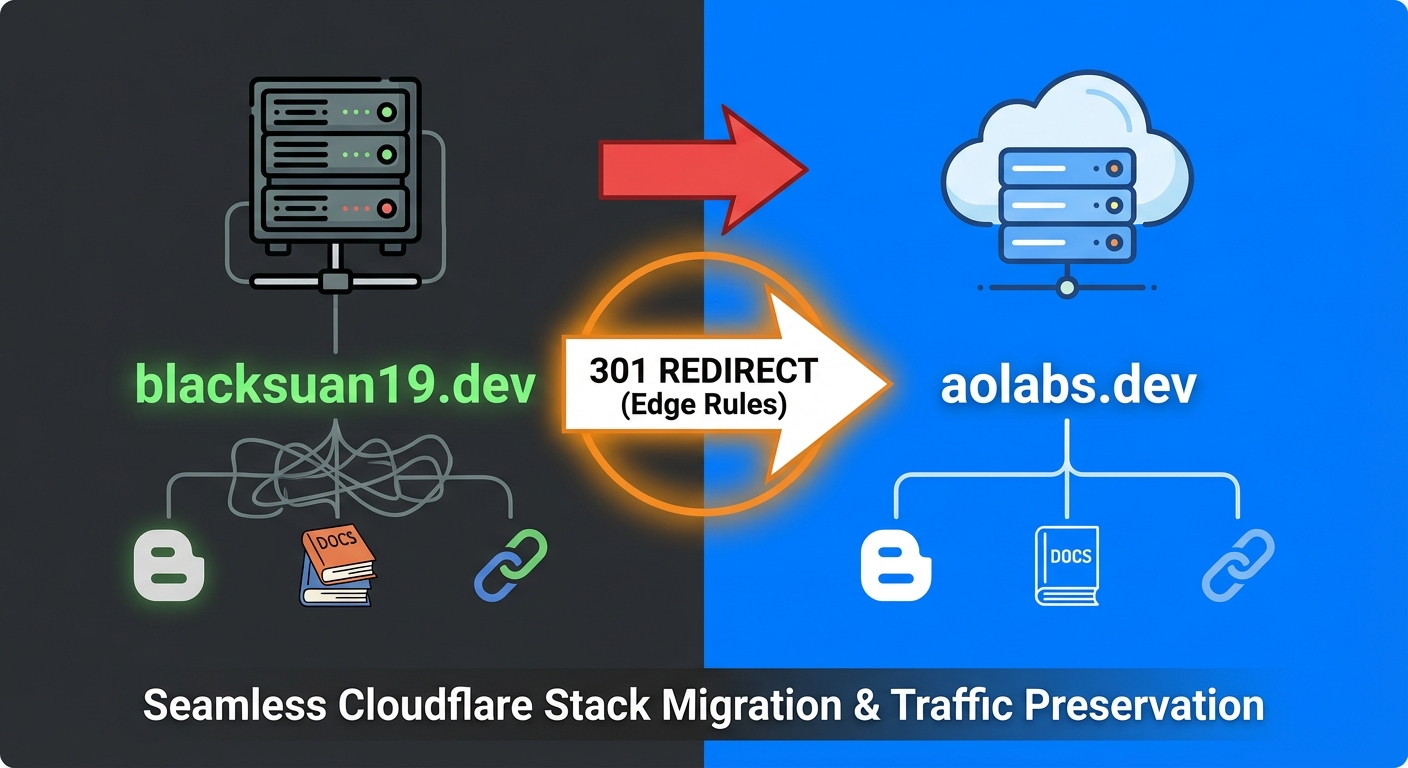
I moved the main site and the subdomains in stages. The old and new domains worked together while I updated the sites, then the old domain became a redirect layer.
The redirects also needed to keep the useful part of the URL. A link to
structx.blacksuan19.dev/getting-started should land on
structx.aolabs.dev/getting-started with the path intact. The same applies to
the main site and its blog paths.
One dynamic Cloudflare rule could cover every subdomain. I already had several of them, and the hostname contained everything needed to build the new URL.
That gave me a fairly simple order for the migration:
- Add the new domains alongside the old ones.
- Update the base URLs, canonical URLs, and links in the sites themselves.
- Test the new domains directly.
- Turn the old domain into permanent redirects.
- Tell Google that the main site moved.
Keeping both domains active during the first few steps made the change much less stressful. If I missed a configuration value, the old site still worked while I fixed it. This avoided one dramatic DNS switch with every service depending on the same moment.
Adding the new domains
The sites I had on Cloudflare Pages were the easy part. Cloudflare Pages lets a
project have more than one custom domain, so I added the new aolabs.dev
domain alongside the old one.
For example, StructX temporarily had both structx.aolabs.dev and
structx.blacksuan19.dev active on the same Pages project.

That gave me a chance to check the new domain before turning the old one into a redirect. Cloudflare handled most of the deployment. I added the custom domain, it created the DNS record and certificate, and both addresses pointed to the same site.
I repeated that for the Pages projects I was moving. Once the new domains were active and the sites loaded correctly, I could deal with the old traffic.
Redirecting the root domain
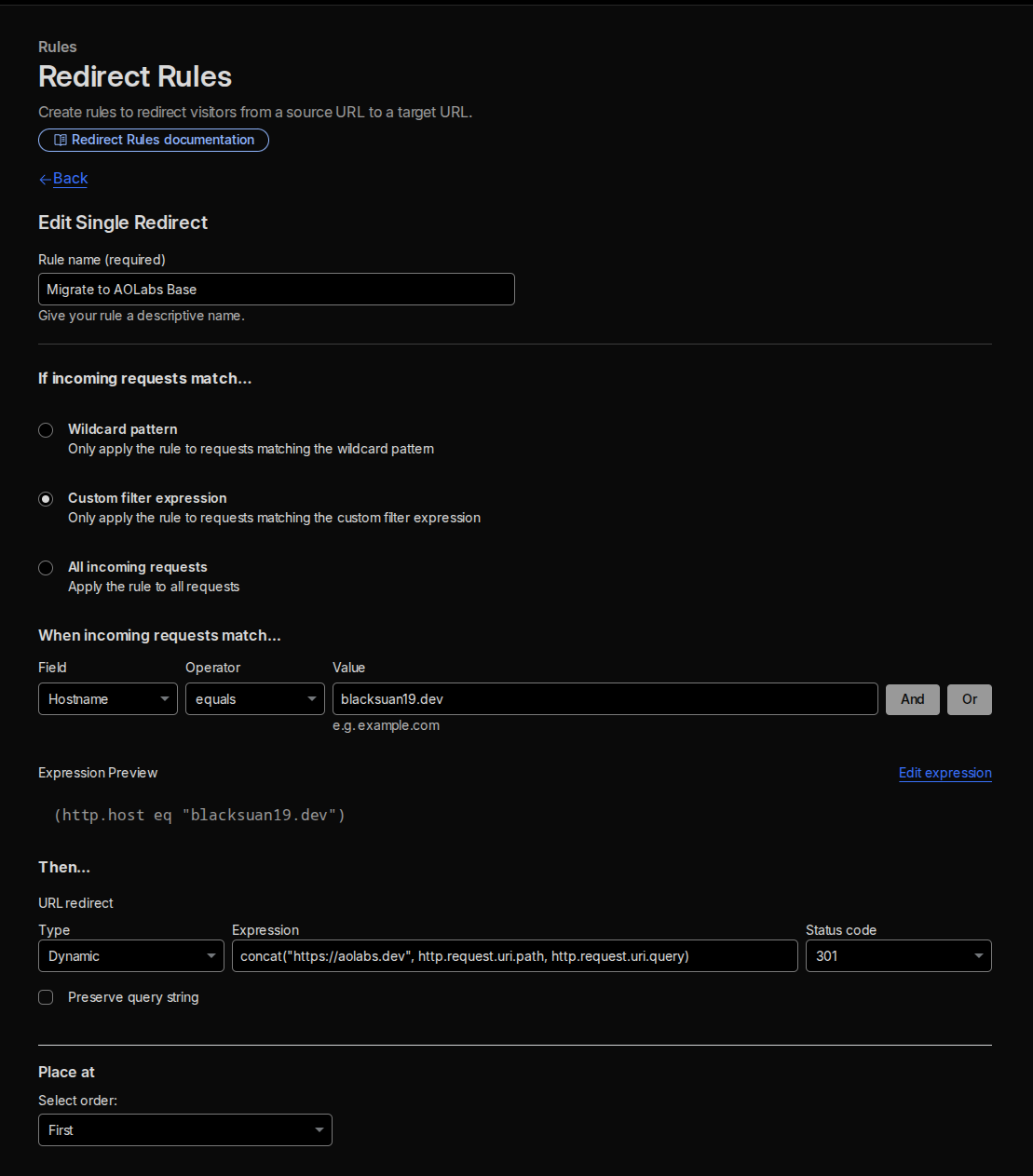
The main site needed a simple rule. Requests where the hostname equals
blacksuan19.dev should return a permanent redirect to aolabs.dev while
keeping the path.
I used a Cloudflare dynamic redirect with this target expression:
concat("https://aolabs.dev", http.request.uri.path, http.request.uri.query);The status code is 301 because this is a permanent move.
The full rule is:
- Match requests where the hostname equals
blacksuan19.dev. - Build the target from
https://aolabs.devand the original request URI. - Return a
301response. - Run the rule before anything else that might handle the old hostname.
With that rule, a request for blacksuan19.dev/blog/some-post goes to
aolabs.dev/blog/some-post. Keeping the path is the important part. Redirecting
every old URL to the homepage would discard the path and break every useful
link.
Redirecting the subdomains
The subdomains were a little more interesting. I wanted
structx.blacksuan19.dev to become structx.aolabs.dev, and the same rule
needed to work for the other subdomains.
I am on Cloudflare’s Free plan. Regex support for Single Redirects starts at
the Business tier, so I used substring and concat to stay within the Free
plan.
The .blacksuan19.dev suffix is 16 characters long. I used that to remove the
old suffix from the incoming hostname, keep whatever came before it, then add
.aolabs.dev:
concat( "https://", substring(http.host, 0, len(http.host) - 16), ".aolabs.dev", http.request.uri.path, http.request.uri.query);The expression is doing four small things:
http.hostgives me the full incoming hostname.len(http.host) - 16finds where the old domain suffix starts.substring(...)keeps the subdomain portion.concat(...)puts the hostname, path, and query string back together underaolabs.dev.
For structx.blacksuan19.dev/docs, the substring call keeps structx, then
the expression rebuilds the URL as structx.aolabs.dev/docs. The incoming
hostname supplies the subdomain name, which was the whole point.
The old DNS records still have to exist and remain proxied through Cloudflare. DNS Only sends traffic around Cloudflare, and removing the record stops the hostname from resolving. The old domain remains part of the redirect setup after the sites move away from it.
Testing the redirects
I tested the redirects with curl -I to see the status and location header
directly, clear of any browser cache.
# Root domaincurl -I https://blacksuan19.dev# HTTP/2 301# location: https://aolabs.dev/# Subdomaincurl -I https://structx.blacksuan19.dev# HTTP/2 301# location: https://structx.aolabs.dev/# A documentation pathcurl -I https://redash.blacksuan19.dev/docs/intro# HTTP/2 301# location: https://redash.aolabs.dev/docs/intro# A path with a query stringcurl -I "https://structx.blacksuan19.dev/api/reference?version=2"# HTTP/2 301# location: https://structx.aolabs.dev/api/reference?version=2Each command checked a different part of the setup. The root test covered the main rule, the StructX test covered the dynamic hostname replacement, and the Redash URL made sure a deeper documentation path survived the redirect. The last one confirmed that the query string survived while rebuilding the target URL.
All four returned 301 responses with the expected location header. I then
opened the new addresses normally and checked that each target path loaded.
Updating the sites themselves
The redirects cover old links. Each site also needed to generate its own URLs with the new domain.
For this blog, the canonical URL is built from site.url in
_includes/head.liquid:
<link rel="canonical" href="https://aolabs.dev/blog/rebranding-to-aolabs-cloudflare-migration/">I changed the base URL in _config.yml:
url: https://aolabs.devtitle: AO LabsOne configuration change updated the canonical URL generated for every post. It also gave the generated sitemap and the rest of the site metadata the new base domain.
The same configuration file also contained the external links shown in the site menu. I changed those at the same time so the blog linked straight to the new documentation domains:
extern_urls: Redash-Python library: https://redash.aolabs.dev/ StructX Library: https://structx.aolabs.devThis is an easy detail to miss because the redirects make the old menu links
look fine when clicked. Looking at the address bar still reveals the extra hop,
and the repository continues advertising the old domain. Searching the code for
blacksuan19.dev caught these references along with the main site.url value.
The distinction matters while both domains are active. Cloudflare Pages serves
the same page from two hostnames during the overlap, and the canonical tag
marks aolabs.dev as the real address. The old hostname sends its visitors
there through the redirect.
The documentation repositories needed the same treatment in their own
configuration. StructX uses MkDocs, so I changed its site_url:
site_url: https://structx.aolabs.devI also updated the StructX README links, including the documentation badge, guides, API reference, examples, and contributing page. I made the equivalent base URL and canonical changes in the other sites I moved. Links in my own repositories now point directly to the new domain. The redirects handle copies elsewhere.
StructX had the domain repeated across the README because every guide linked to
its full documentation URL. The badge at the top, Getting Started, the API
reference, the examples, and the contributing guide all needed the same change.
mkdocs.yml handled the generated site URL; the README still needed a normal
search and replace followed by a link check. This was simple work, just spread
across enough files and repositories to make skipping one very easy.
This was the repetitive part of the migration. I updated the links anyway because every README redirect adds an unnecessary request and keeps advertising the old domain. Repository code can use the new address directly.
Telling Google about the move
Once the redirects and canonical URLs were in place, I used Google Search
Console’s Change of Address tool for the main domain. Both properties had to be
verified, then I selected aolabs.dev as the new address for
blacksuan19.dev.
The process was:
- Verify the old and new domain properties.
- Open the settings for
blacksuan19.dev. - Select Change of Address.
- Choose
aolabs.devas the destination. - Submit the move after Google checks the redirects.
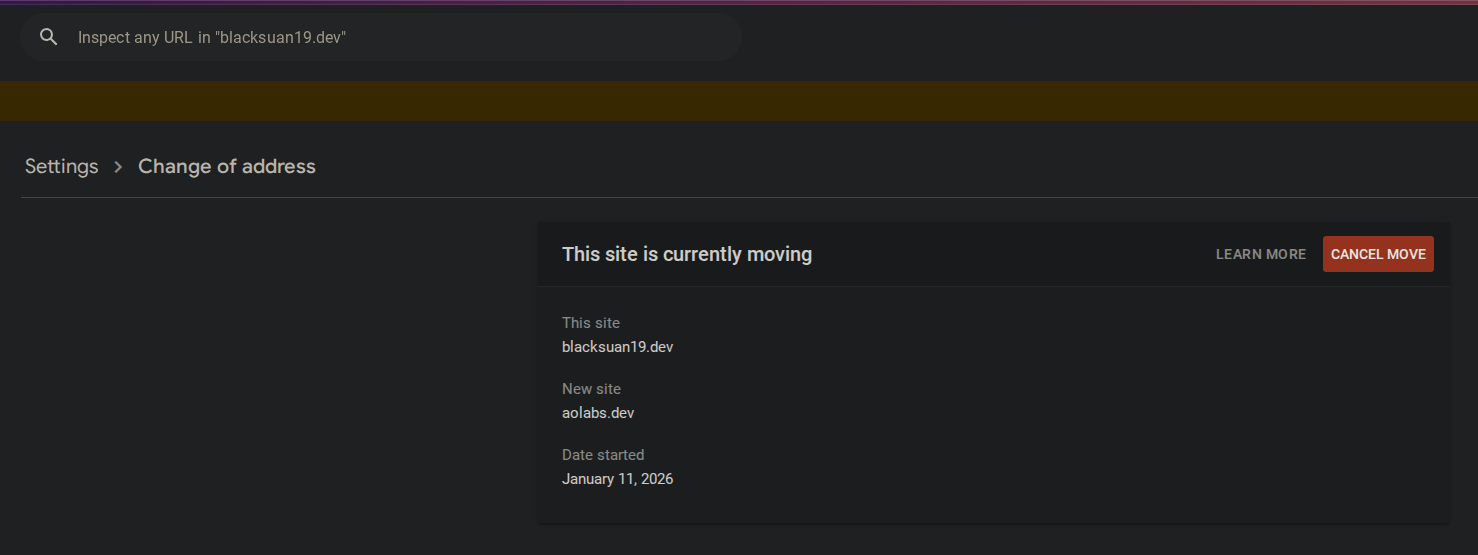
The redirects tell Google where individual pages moved, while the Change of Address request tells it that the whole site changed domains. I kept the old domain active after submitting it because the redirects still need to work while search results and old links catch up.
Keeping the old domain around
The final setup is intentionally boring. aolabs.dev serves the sites. The old
domain stays registered, its DNS records remain proxied, and Cloudflare returns
the 301 redirects.
On blacksuan19.dev, I kept the DNS records that receive old traffic and made
sure they were proxied. On aolabs.dev, the Pages custom domains and service
records point at the actual sites. Cloudflare handles the certificates on both
sides. aolabs.dev serves the current sites, and blacksuan19.dev catches old
requests and sends them over.
The visible changes are simple:
blacksuan19.devbecameaolabs.devs.blacksuan19.devbecames.aolabs.devstructx.blacksuan19.devbecamestructx.aolabs.devredash.blacksuan19.devbecameredash.aolabs.dev
Adding the new domains before redirecting the old ones made the move easy to test, and the dynamic subdomain rule saved me from maintaining the same rule several times. The old DNS stays for as long as those links need to work. It gives Cloudflare somewhere to catch them.