I have been using Vscode for as long as I can remember, my first true beloved
text editor was of course non other than sublime which is loved for being light
and still had extensions and amazing functionality, of course as a broke student
i didn’t buy a license so the “occasional please buy a license sur” pop up was
no biggie for me.
in my second semester I had to do some web development
just basic stuff and that’s when i realized the inadequacy of sublime, prior to
that i was mainly using it for mostly C and C++, but now i had HTML and
JavaScript and CSS, so i wanted something more specialized, that’s when i
switched to brackets which was good and i worked on for a while until i had to
do some CPP and it was annoying switching between both apps when an app that
could do both things existed.
i am a Microsoft hater so i naturally hated
Vscode which then drove me to atom, Atom was not a pleasant experience because
well its electron and its super heavy for my A10 Laptop so i had to join the
enemy, the first time i used vscode, i had to Google how to hide that annoying
line in the middle like pretty much most people, got that and then from then i
expanded its functionality and kept adding stuff, and i realized it’s by far the
most powerful text editor i ever actually used.
fast foreword few months
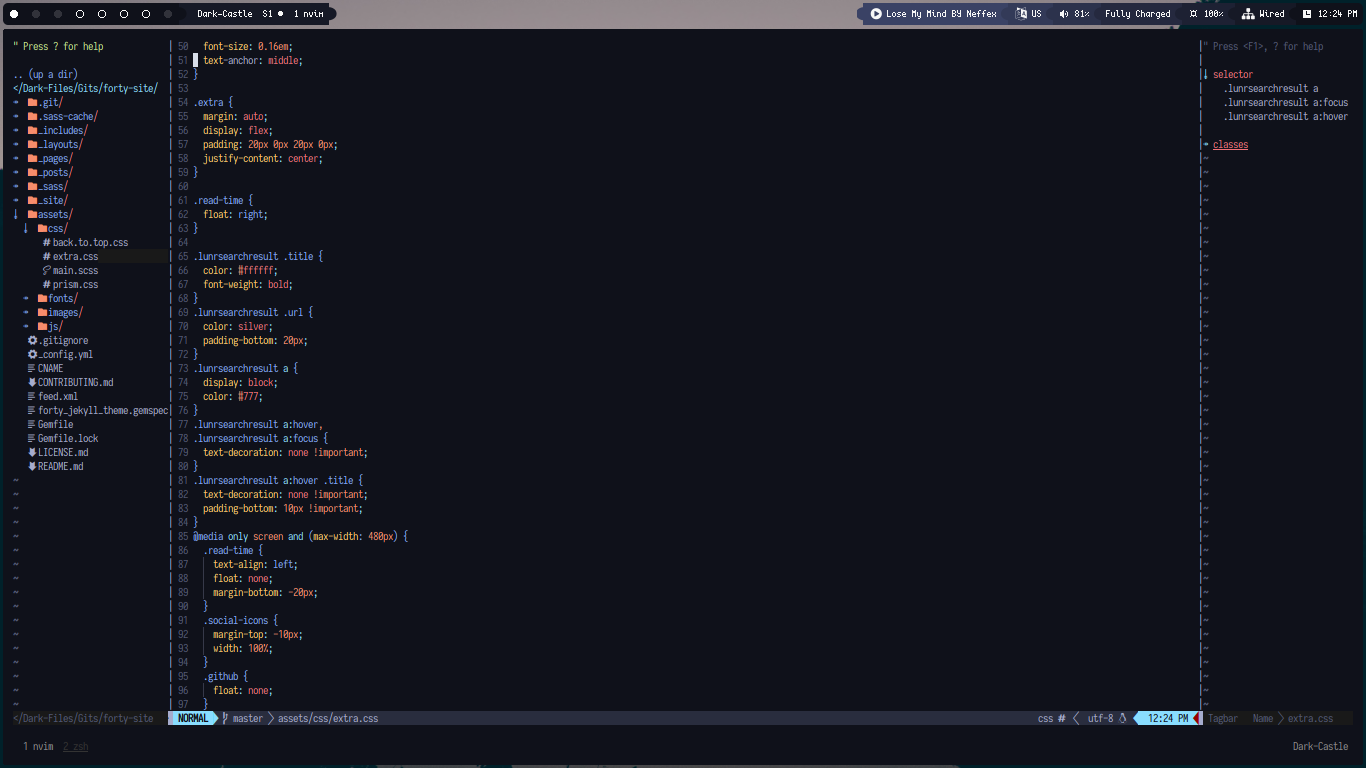
later and here i am thinking about life and going minimal and stuff, so my huge
Manjaro KDE Plasma setup replaced with a minimal Arch Bspwm installation and
things were looking good, the only 2 apps i couldn’t switch to full cli we’re
text editor and file manager(that’s a story for another time, keyword tmux), i
tried Vim few times but always ended with the nah am going back to my vscode
safe space.
Few days ago i decided i should give vim another shot and i have
kept my configs from the past times i tried it, my configs are just a modified
version of Optixal’s Vim init it’s by far the lightest i could find and easiest
to understand and add to, with my config set up i was ready to go, the first
task is writing this on Vim (which am doing right now).
Setbacks:
it ain’t all sunshine and rainbows, there is always something that isn’t quite as expected
- Auto completion across all file types and file system: vscode does this
wonderfully so i had to get it back i used the defaults but they weren’t
exactly vscode level so as usual i googled stuff and found
CoC which is exactly what the doctor
ordered, things worked as usual out of the box with this one the auto
completion pop-up is even faster than vscode.
- using Tab for completion: took me a while to get used to that but its not that
bad, am used to just enter and boom it’s there and that’s all, with this Tab
system its kinda safer because no accidental completions, it will take me a
while to not press enter on a completion which will insert a new line.
- extensions managements: another thing vscode excels at but vim isn’t bad
either with vim-plug its kinda easier because i like one file configs, the
only issue for me is the lack of a package registry like in vscode, so you
have to Google something every time you are looking for extensions.
- Spell checking: yes i use that, on vscode ofc there is a pretty good extension for it, so i was looking for something similar which unfortunately doesn’t exist, i ended up using Language Tool with Grammarous which does the job adequately but the fact that you have to run it manually is kinda annoying.
The Good Stuff:
yeah there a good sides to this switch and vim in general
- its a terminal app!, that’s the main thing for me as i spend all the time on a
text editor or a tmux screen (resurrected ftw) so having my code in here as
well is super handy, I’ll be typing stuff and then switch to another tmux pane
and build or do whatever(or just do that from inside Vim).
- resources usage: lets be honest no matter what Microsoft do they can’t change
the fact that vscode is an electron app and like its brothers they’re very
resource heavy, Vim on the other hand is just a cli application, even tho some
completion systems will use a lot of resources its still less than what vscode
usually settles for.
- the integration: one of the reasons i decided to give Vim another try is
believe it or not is latex, i started learning latex and its annoying to use
another app just to edit text, vscode is nice but overkill, i use Typora for
markdown and its great and has Mathjs integration but that has limited latex
support and very limited, so Vim looked like the best solution, i am going to
also switch my markdown editing here because again integration.
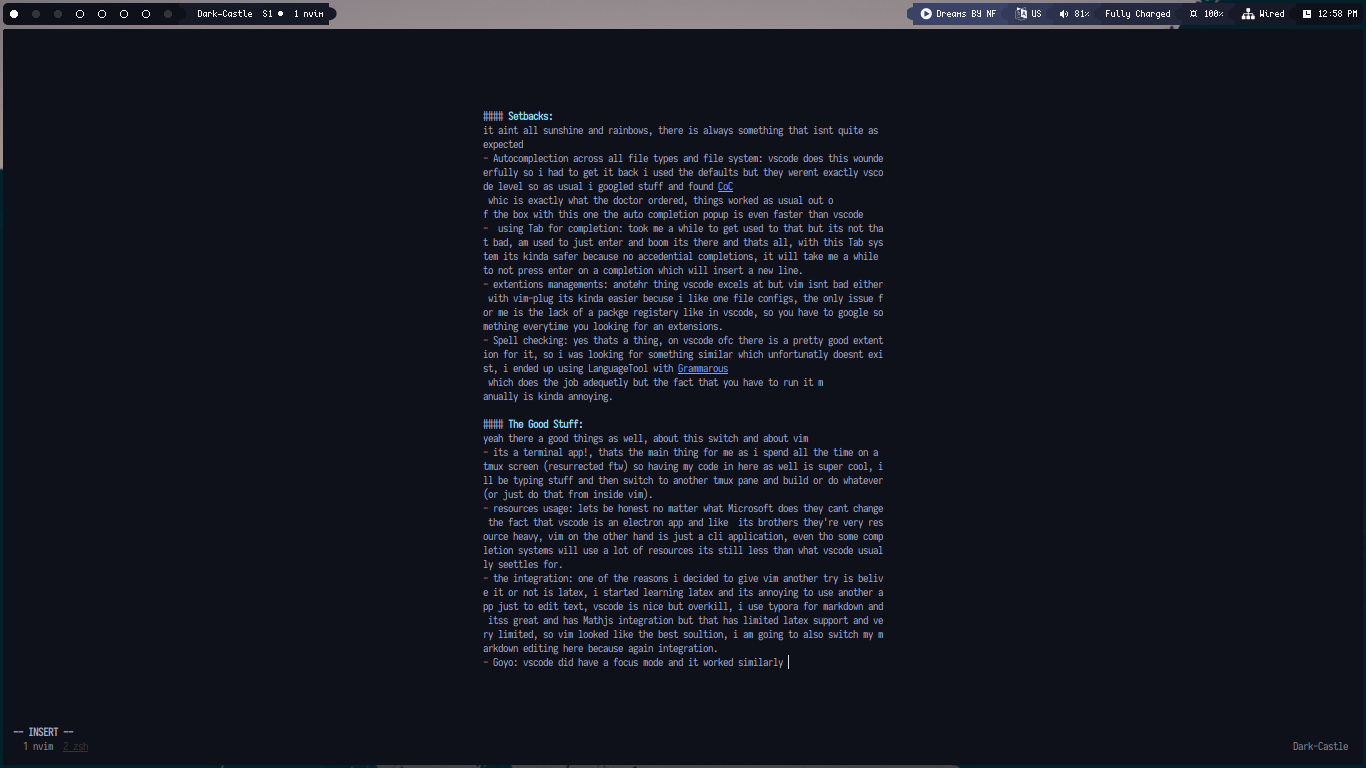
- Goyo: vscode did have a focus mode and it worked similarly, this allows me to completely focus on a file and not get distracted by other things like the cool NerdTree with icons or the tagBar.
Conclusion:
Vim is powerful and there is so much more i still haven’t learned about it and
that’s ok because the journey is just starting, give me few months and i’ll be
fuzzy searching blind folded and other ninja typa of shit, i have found
substitutes to most of the stuff i use daily and that’s great even if they don’t
exactly function the same way, i will post an update in few months after i have
mastered this(i still use arrow keys lmao).
i will just shamelessly plug my
dotfiles here just as usual.